

Battery Warn
Der Alarm für die letzten Prozent.
Dein Mac warnt bei 10 % Restakku – und die Meldung wird weggeklickt. Battery Warn meldet sich erst, wenn es wirklich zählt: kurz bevor der Akku leer ist. Und zwar so, dass du es nicht übersehen kannst.
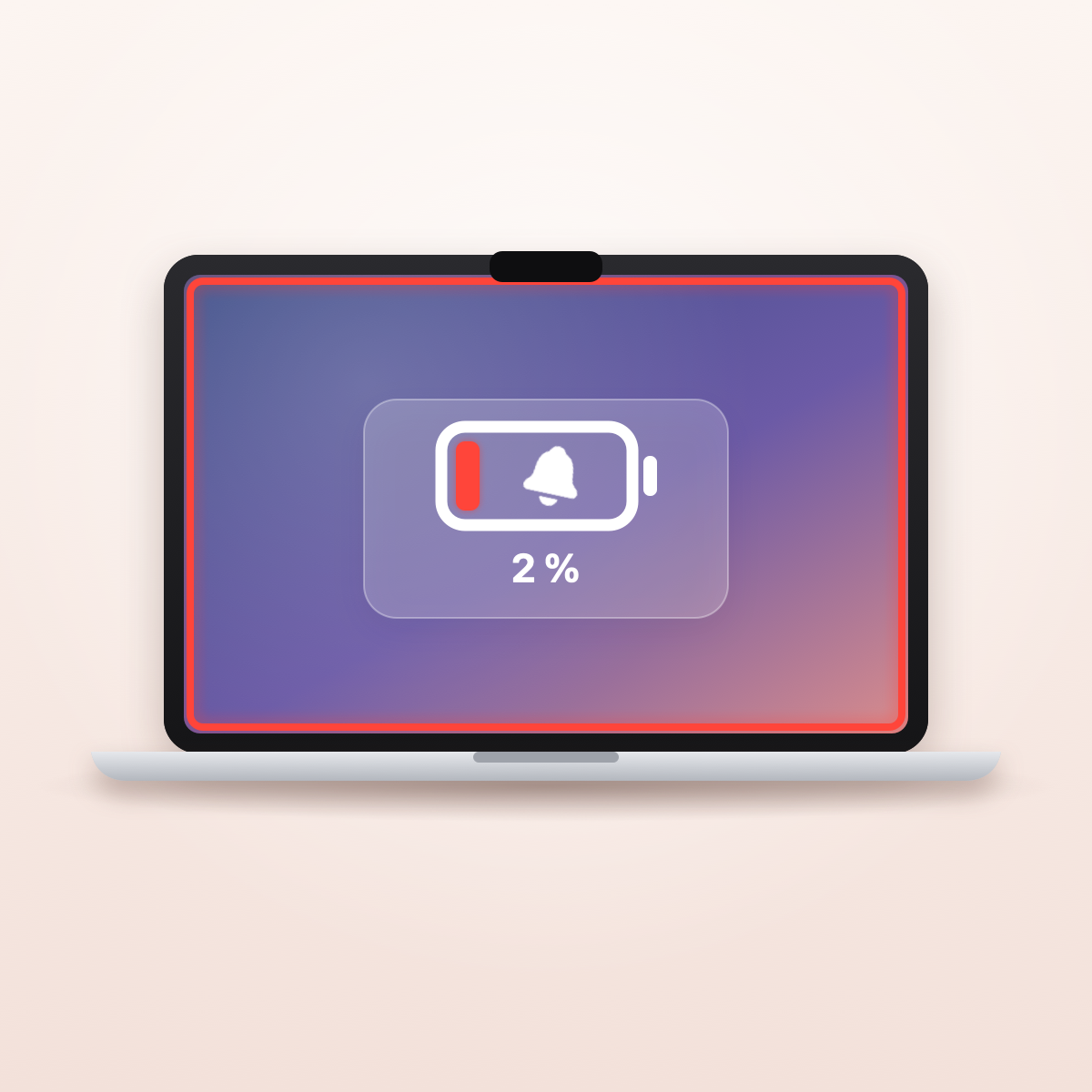
- Nicht zu übersehen: Ein leuchtender Warnrahmen erscheint auf allen Bildschirmen, auch über Vollbild-Apps und Präsentationen, und wächst, je knapper der Akku wird.
- Nicht zu überhören: Ein Alarmton wird über etwa 40 Sekunden immer lauter und kommt wieder, bis du das Ladekabel anschließt oder den Alarm drei Sekunden lang bewusst hältst.
- Deine Schwelle, deine Farbe: Alarm bei 1 bis 25 % (Standard: 2 %), Rahmen in neun Farben oder deiner eigenen.
- Mitgedacht: spielt auf Wunsch zusätzlich über die eingebauten Lautsprecher, falls AirPods verbunden, aber nicht im Ohr sind, und arbeitet mit den Fokus-Modi von macOS zusammen.
- Rücksichtsvoll: Bei „Bewegung reduzieren“ pulsiert der Rahmen sanft statt zu blinken.
- Sparsam und privat: schläft, bis sich der Akkustand ändert, ohne Netzwerkzugriff und ohne Datenerfassung.
Einmalkauf ohne Abo und ohne In-App-Käufe. Für Macs ab macOS 13, in 25 Sprachen.
Datenschutzerklärung für die App „Battery Warn“
Stand: 16. Oktober 2026
1. Verantwortlicher
David Fischer & Sebastian Scholz GbR
Rudolf-Schwarz-Straße 26
10407 Berlin
Deutschland
E-Mail: info@design-chirurgen.com
Telefon: +49 178 1857011
2. Kurz gesagt
Battery Warn erfasst, speichert und überträgt keine personenbezogenen Daten. Die App verbindet sich mit keinem Server und enthält keine Analyse-, Werbe- oder Tracking-Dienste und keine Programmbausteine anderer Anbieter.
3. Was die App auf deinem Mac speichert
Battery Warn speichert ausschließlich Einstellungen lokal auf deinem Mac:
- die Alarmschwelle und die Farbe des Warnrahmens;
- ob der Akkustand in der Menüleiste angezeigt wird;
- ob der Alarm zusätzlich über die eingebauten Lautsprecher ertönt und ob er eine Stummschaltung übergehen darf;
- ob Battery Warn beim Anmelden startet;
- wie oft die App dich schon gewarnt hat, nur um dich einmal zu einem passenden Zeitpunkt um eine Bewertung zu bitten.
Diese Einstellungen verlassen dein Gerät nicht, und wir haben keinen Zugriff darauf. Den Akkustand liest die App nur auf deinem Mac aus.
4. Fokus und Ton
Ob der Alarmton während eines Fokus stumm bleibt, legst du in den Systemeinstellungen unter Fokus → Filter fest; macOS teilt Battery Warn das lokal mit. Wenn du es erlaubst, hebt die App für die Dauer eines Alarms die Stummschaltung deines Macs auf und stellt Stummschaltung und Lautstärke danach wieder her. Battery Warn braucht keine Freigaben für Standort, Kontakte, Fotos, Mikrofon oder Kamera.
5. Kauf und Bewertung über den Mac App Store
Battery Warn wird über den Mac App Store verkauft. Kauf, Bezahlung und Rückerstattung wickelt Apple in eigener Verantwortung nach der Datenschutzrichtlinie von Apple ab; wir erhalten von Apple nur zusammengefasste Verkaufs- und Nutzungszahlen ohne Bezug zu deiner Person. Die Bitte um eine Bewertung zeigt macOS selbst an; Bewertungen gehen an Apple.
6. Wenn du uns schreibst
Schreibst du uns eine E-Mail, verarbeiten wir deine E-Mail-Adresse und deine Nachricht, um zu antworten (Art. 6 Abs. 1 lit. b bzw. f DSGVO), und löschen sie, wenn die Anfrage erledigt ist und keine gesetzlichen Aufbewahrungspflichten bestehen.
7. Deine Rechte
Du hast das Recht auf Auskunft, Berichtigung, Löschung, Einschränkung der Verarbeitung, Datenübertragbarkeit und Widerspruch (Art. 15 bis 21 DSGVO) sowie das Recht, dich bei einer Datenschutz-Aufsichtsbehörde zu beschweren (Art. 77 DSGVO). Für uns zuständig ist die Berliner Beauftragte für Datenschutz und Informationsfreiheit, Alt-Moabit 59–61, 10555 Berlin.
8. Diese Website
Für die Website design-chirurgen.com selbst gilt deren Datenschutzerklärung: https://design-chirurgen.com/impressum/#datenschutz
Nutzungsbedingungen für die App „Battery Warn“
Stand: 16. Oktober 2026
1. Anbieter und Geltung
Battery Warn wird angeboten von der David Fischer & Sebastian Scholz GbR, Rudolf-Schwarz-Straße 26, 10407 Berlin, Deutschland („wir“). Zusätzlich gilt die Standard-Lizenzvereinbarung von Apple für Apps aus dem App Store (Apple Standard EULA); Apple ist nicht Vertragspartner dieser Bedingungen.
2. Kauf
Battery Warn ist ein Einmalkauf ohne Abo und ohne In-App-Käufe. Kauf, Bezahlung und Rückerstattung laufen über den Mac App Store nach den Bedingungen von Apple; eine Rückerstattung beantragst du bei Apple unter reportaproblem.apple.com. Deine gesetzlichen Rechte als Verbraucher bleiben unberührt.
3. Was Battery Warn leistet
Battery Warn warnt dich, wenn der Akkustand deines Macs die eingestellte Schwelle erreicht. Ob ein Alarm zu hören ist, hängt auch von deinen Einstellungen, dem Fokus und dem Ausgabegerät ab. Wie schnell der Akku zuletzt leer wird, bestimmt macOS; speichere wichtige Arbeit deshalb wie gewohnt.
4. Rechte an der App
Alle Rechte an Battery Warn liegen bei uns. Du darfst die App im Rahmen der Lizenz von Apple nutzen, aber nicht kopieren, verändern, zurückentwickeln oder weitergeben, soweit das Gesetz es nicht ausdrücklich erlaubt.
5. Haftung
Wir haften unbeschränkt bei Vorsatz und grober Fahrlässigkeit, bei Verletzung von Leben, Körper oder Gesundheit und nach dem Produkthaftungsgesetz. Bei leichter Fahrlässigkeit haften wir nur für die Verletzung wesentlicher Pflichten, deren Erfüllung die Nutzung erst ermöglicht und auf die du vertrauen darfst, und nur für den typischen, vorhersehbaren Schaden. Im Übrigen ist die Haftung ausgeschlossen.
6. Recht
Es gilt deutsches Recht. Wenn du Verbraucher bist, bleiben zwingende Schutzvorschriften des Landes, in dem du lebst, unberührt. Wir sind nicht bereit und nicht verpflichtet, an Streitbeilegungsverfahren vor einer Verbraucherschlichtungsstelle teilzunehmen.
Impressum
Angaben gemäß § 5 DDG
David Fischer & Sebastian Scholz GbR
Rudolf-Schwarz-Straße 26
10407 Berlin
Deutschland
Vertreten durch die Gesellschafter David Fischer und Sebastian Scholz
Kontakt
E-Mail: info@design-chirurgen.com
Telefon: +49 178 1857011
Umsatzsteuer-Identifikationsnummer gemäß § 27a UStG: DE309266492
Verbraucherstreitbeilegung: Wir sind nicht bereit und nicht verpflichtet, an Streitbeilegungsverfahren vor einer Verbraucherschlichtungsstelle teilzunehmen.
Hilfe und Kontakt
Einrichtung
Beim ersten Start führt Battery Warn in drei Schritten durch Schwelle, Tonausgabe und Autostart und spielt zum Abschluss einen Testalarm. Danach lebt die App als Symbol in der Menüleiste; ein Symbol im Dock gibt es nicht.
Häufige Fragen
Wie stelle ich die Alarmschwelle ein?
Über das Menüleisten-Symbol → „Einstellungen …“. Standard ist 2 %, einstellbar von 1 bis 25 %.
Kann ich die Farbe des Warnrahmens ändern?
Ja. In den Einstellungen stehen neun Farben zur Auswahl; über das Zahnrad daneben gibst du eine eigene Farbe als Hex-Code ein. Standard ist Rot.
Wie beende ich einen laufenden Alarm?
Ladekabel anschließen, oder den Knopf in der Alarm-Kapsel drei Sekunden lang gedrückt halten. Dann kommt der Alarm später wieder, bis du lädst.
Wie schalte ich den Ton während eines Fokus stumm?
In den Systemeinstellungen unter Fokus → Filter „Battery Warn“ hinzufügen und dort festlegen, ob der Ton stumm bleibt. Der Warnrahmen erscheint trotzdem.
Wie kann ich den Alarm ausprobieren?
Im Menüleisten-Symbol „Alarm testen (3 s)“ wählen.
Mein Mac hat keinen Akku.
Battery Warn erkennt das bei Mac mini, Mac Studio und iMac und zeigt einen Hinweis; einen echten Alarm gibt es dort nicht.
Sammelt Battery Warn Daten?
Nein. Die App hat keinen Netzwerkzugriff und speichert nichts außerhalb deines Macs.
Ich möchte mein Geld zurück.
Rückerstattungen laufen über Apple: reportaproblem.apple.com.
Kontakt
Fragen, Fehler, Wünsche: info@design-chirurgen.com. Schreib uns bitte, welchen Mac und welche macOS-Version du hast.
Battery Warn
The alarm for your last few percent.
Your Mac warns you at 10% battery – and that notice gets clicked away. Battery Warn speaks up only when it truly matters: right before your battery dies. And it does so in a way you can't miss.
- Impossible to overlook: a glowing warning frame appears on every screen, even over full-screen apps and presentations, and grows as your battery runs lower.
- Impossible to ignore: an alarm tone ramps up over about 40 seconds and keeps coming back until you plug in or deliberately hold the alarm for three seconds.
- Your threshold, your color: alarm at 1 to 25% (default: 2%), frame in nine colors or your own.
- Thought through: optionally also plays through the built-in speakers if AirPods are connected but not in your ears, and works with macOS Focus modes.
- Considerate: with “Reduce Motion” the frame pulses gently instead of flashing.
- Lightweight and private: sleeps until your battery level changes, with no network access and no data collection.
One-time purchase, no subscription, no in-app purchases. For Macs running macOS 13 or later, in 25 languages.
Privacy Policy for the App “Battery Warn”
Last updated: 16 October 2026
If this English version and the German version differ, the German version applies.
1. Controller
David Fischer & Sebastian Scholz GbR
Rudolf-Schwarz-Straße 26
10407 Berlin
Germany
Email: info@design-chirurgen.com
Phone: +49 178 1857011
2. In short
Battery Warn does not collect, store or transmit any personal data. The app connects to no server and contains no analytics, advertising or tracking services and no third-party code.
3. What the app stores on your Mac
Battery Warn only stores settings locally on your Mac:
- the alarm threshold and the color of the warning frame;
- whether the battery level is shown in the menu bar;
- whether the alarm also plays through the built-in speakers and whether it may override mute;
- whether Battery Warn launches at login;
- how often the app has warned you, used only to ask you once for a rating at a suitable moment.
These settings never leave your device, and we have no access to them. The app reads the battery level only on your Mac.
4. Focus and sound
Whether the alarm tone stays silent during a Focus is set in System Settings under Focus → Filters; macOS tells Battery Warn locally. If you allow it, the app lifts your Mac's mute for the duration of an alarm and restores mute and volume afterwards. Battery Warn needs no permissions for location, contacts, photos, microphone or camera.
5. Purchase and ratings via the Mac App Store
Battery Warn is sold through the Mac App Store. Apple handles purchase, payment and refunds under its own responsibility according to Apple's privacy policy; Apple only provides us with aggregated sales and usage figures that do not identify you. The rating request is shown by macOS itself; ratings go to Apple.
6. If you contact us
If you email us, we process your email address and message to reply (Art. 6(1)(b) or (f) GDPR) and delete them once the request is settled, unless legal retention obligations apply.
7. Your rights
You have the right of access, rectification, erasure, restriction of processing, data portability and objection (Art. 15 to 21 GDPR) and the right to lodge a complaint with a data protection supervisory authority (Art. 77 GDPR). The authority responsible for us is the Berliner Beauftragte für Datenschutz und Informationsfreiheit, Alt-Moabit 59–61, 10555 Berlin, Germany.
8. This website
The privacy policy of design-chirurgen.com applies to the website itself: https://design-chirurgen.com/impressum/#datenschutz
Terms of Use for the App “Battery Warn”
Last updated: 16 October 2026
If this English version and the German version differ, the German version applies.
1. Provider and scope
Battery Warn is provided by David Fischer & Sebastian Scholz GbR, Rudolf-Schwarz-Straße 26, 10407 Berlin, Germany (“we”). Apple's Standard Licensed Application End User License Agreement (Standard EULA) also applies; Apple is not a party to these terms.
2. Purchase
Battery Warn is a one-time purchase with no subscription and no in-app purchases. Purchase, payment and refunds are handled through the Mac App Store under Apple's terms; you can request a refund from Apple at reportaproblem.apple.com. Your statutory rights as a consumer remain unaffected.
3. What Battery Warn does
Battery Warn warns you when your Mac's battery reaches the threshold you set. Whether an alarm can be heard also depends on your settings, your Focus and your output device. How quickly the battery finally runs out is up to macOS, so keep saving important work as usual.
4. Rights in the app
All rights in Battery Warn belong to us. You may use the app under Apple's license, but you may not copy, modify, reverse-engineer or distribute it, except where the law expressly allows it.
5. Liability
We are liable without limitation for intent and gross negligence, for injury to life, body or health and under the German Product Liability Act. For slight negligence we are only liable for breaches of essential obligations that make the use possible in the first place and on which you may rely, and only for typical, foreseeable damage. Otherwise liability is excluded.
6. Law
German law applies. If you are a consumer, mandatory consumer protection rules of the country where you live remain unaffected. We are neither willing nor obliged to take part in dispute resolution proceedings before a consumer arbitration board.
Legal Notice
Information in accordance with Section 5 of the German Digital Services Act (DDG)
David Fischer & Sebastian Scholz GbR
Rudolf-Schwarz-Straße 26
10407 Berlin
Germany
Represented by its partners David Fischer and Sebastian Scholz
Contact
Email: info@design-chirurgen.com
Phone: +49 178 1857011
VAT identification number in accordance with Section 27a of the German VAT Act: DE309266492
Consumer dispute resolution: We are neither willing nor obliged to take part in dispute resolution proceedings before a consumer arbitration board.
Help and Contact
Setup
On first launch, Battery Warn walks you through threshold, sound output and launch at login in three steps and ends with a test alarm. After that, the app lives as an icon in the menu bar; there is no Dock icon.
FAQ
How do I set the alarm threshold?
Via the menu bar icon → “Settings …”. The default is 2%, adjustable from 1 to 25%.
Can I change the color of the warning frame?
Yes. Settings offers nine colors; the gear next to them lets you enter your own color as a hex code. The default is red.
How do I stop an active alarm?
Plug in your charger, or press and hold the button on the alarm capsule for three seconds. The alarm will then come back later until you charge.
How do I mute the tone during a Focus?
Add “Battery Warn” under System Settings → Focus → Filters and decide there whether the tone stays silent. The warning frame still appears.
How can I try the alarm?
Choose “Test alarm (3 s)” from the menu bar icon.
My Mac has no battery.
Battery Warn recognizes this on Mac mini, Mac Studio and iMac and shows a note; there is no real alarm on those Macs.
Does Battery Warn collect data?
No. The app has no network access and stores nothing outside your Mac.
I'd like a refund.
Refunds are handled by Apple: reportaproblem.apple.com.
Contact
Questions, bugs, ideas: info@design-chirurgen.com. Please tell us your Mac model and macOS version.